
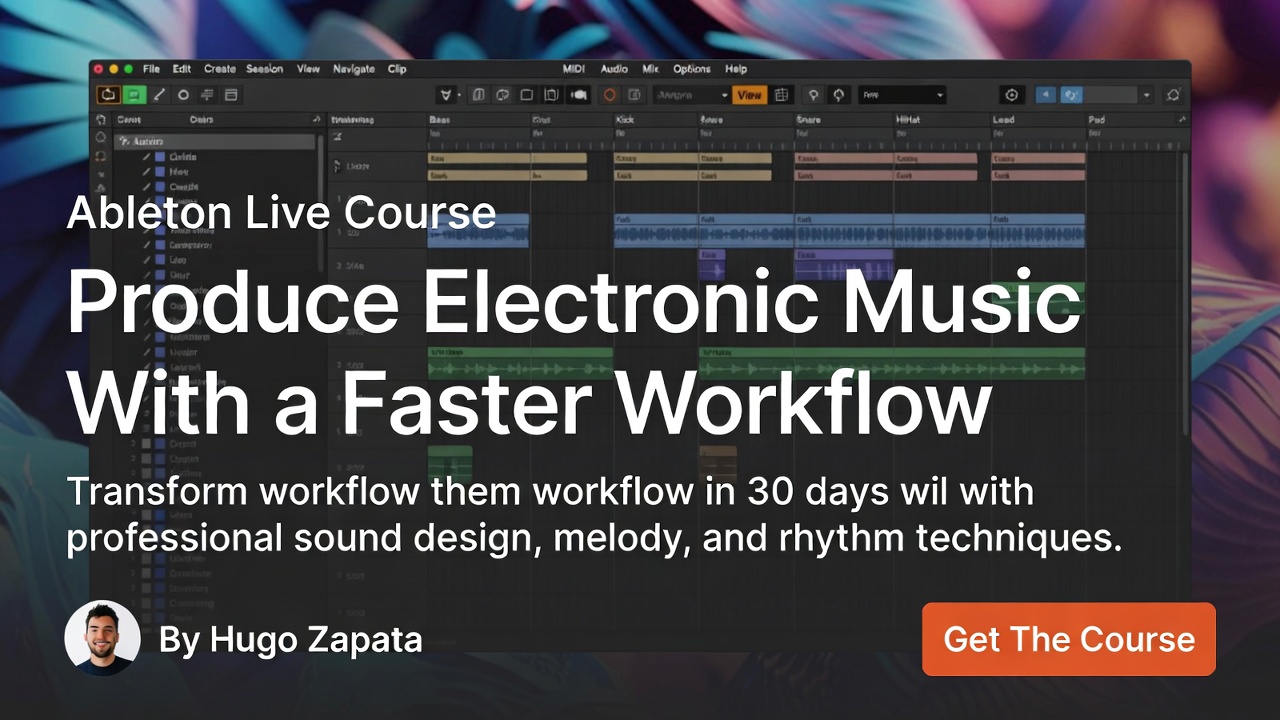
Ableton Live is one of the most powerful DAWs for electronic music production, beat making, live performance and creative sound design. Its workflow is fast, flexible and ideal for producers who want to turn ideas into complete tracks without losing momentum.
But learning Ableton Live can feel overwhelming in the beginning. There are clips, scenes, tracks, devices, racks, automation, warping, MIDI effects, audio effects and two different main views. Many beginners open the software, create a few loops and then get stuck when it is time to build a full song.
That is exactly why a structured Ableton Live course can make such a big difference. Instead of learning random tricks, you follow a clear path. You understand how Ableton works, how to organize your session, how to create musical ideas, how to arrange your track and how to finish music with more confidence.
At The Music Producer School, the goal is not only to teach software. The real goal is to help students think like producers. That means learning how to build ideas, choose better sounds, create stronger arrangements, mix with more intention and finish music that sounds more professional.
Why Ableton Live Is So Popular for Music Production
Ableton Live has a unique workflow compared to many traditional DAWs. While other programs are mostly based around a linear timeline, Ableton gives producers two powerful ways to create music: Session View and Arrangement View.
Session View is ideal for experimenting. You can create loops, test drum grooves, build basslines, trigger ideas and try different combinations without committing to a full arrangement right away. This makes it perfect for electronic music, EDM, house, techno, trap, hip hop and sample-based production.
Arrangement View is where those ideas become a complete track. Once you have your loops and musical sections, you can organize them into an intro, buildup, drop, breakdown, chorus, verse or outro. This is where your music starts to feel like a finished production instead of just a loop.
This combination is one of the reasons Ableton Live is so effective. It allows you to move quickly from experimentation to structure. A good music production course should teach you how to use both views together, because that is where the workflow becomes truly powerful.
The Problem With Learning Ableton Live Through Random Tutorials
There are thousands of Ableton tutorials online. Some are excellent, but many focus only on isolated tricks. One video teaches a bass effect. Another explains a shortcut. Another shows a mixing chain. These tips can be helpful, but they do not always teach the full production process.
The problem is that music production is connected. Sound design affects arrangement. Arrangement affects mixing. Mixing affects mastering. A weak drum groove can make the drop feel empty. A poor bass sound can make the low end messy. A bad transition can make the track lose energy.
When you only learn isolated techniques, it becomes harder to understand the bigger picture. You may know how to use a compressor, but not when to use it. You may know how to create a synth patch, but not how to make it fit inside the track. You may know how to build a loop, but not how to finish a full song.
A structured Ableton Live music production course solves this by teaching workflow. It helps you understand what to do first, what to do next and how each step connects to the final result.
What You Should Learn in an Ableton Live Course
A complete Ableton Live course should start with the foundation. Before advanced sound design or mixing, you need to understand the interface, tracks, clips, scenes, browser, transport controls, tempo, grid, MIDI, audio and basic routing.
From there, the course should move into creating music. This includes programming drums, building grooves, recording MIDI, using virtual instruments, working with audio samples, editing clips and developing musical ideas.
Ableton Live is especially strong for loop-based creation, but the goal should never be to stay trapped inside an eight-bar loop. A strong course teaches how to transform loops into full arrangements. This is one of the most important skills for any producer.
You should also learn automation. Automation is essential in electronic music because it creates movement, tension and energy. Filter sweeps, volume changes, reverb throws, delay effects, risers, impacts and transitions all help the track evolve.
Another important area is sound design. Ableton includes powerful instruments and effects that can be used to create basses, leads, pads, plucks, textures, drums and experimental sounds. You do not need hundreds of third-party plugins to make professional music. You need to understand how to shape the tools you already have.
Finally, a good Ableton Live course should cover mixing basics. Producers need to understand volume balance, EQ, compression, sidechain, reverb, delay, stereo image and gain staging. These are the decisions that help a track sound cleaner, wider and more professional.
Ableton Live for Electronic Music Production
Ableton Live is especially popular in electronic music because it is fast. Electronic producers often work with loops, samples, MIDI patterns, drum racks, synths and automation. Ableton makes this process feel natural.
For EDM producers, Ableton is great for building drops, buildups, breakdowns and transitions. You can quickly test different drum grooves, basslines and synth layers until the track has the right energy.
For house and techno producers, Ableton is excellent for groove, repetition and subtle changes. Small movements in percussion, filters, effects and automation can keep a track interesting for a long time.
For trap and hip hop producers, Ableton can be used to create hard drums, 808 patterns, melodic loops and vocal chops. Its audio editing and warping tools make it easy to manipulate samples and create unique rhythmic ideas.
For experimental producers and sound designers, Ableton offers a creative environment where audio can be stretched, reversed, resampled, chopped and transformed in many ways.
If you also use loops, drums or sound kits in your workflow, you can explore the sample packs and producer tools available at The Music Producer School to speed up your creative process.
Session View vs Arrangement View
One of the biggest differences in Ableton Live is the relationship between Session View and Arrangement View.
Session View is like a creative sketchpad. You can build different musical ideas and test them in real time. This is great for producers who like to experiment before committing to a final structure.
Arrangement View is where the track becomes organized. It works more like a traditional timeline. You can place sections in order, edit transitions, automate effects and build the full song from start to finish.
Many beginners spend too much time in Session View and never finish the arrangement. They create good loops but do not know how to move forward. A good Ableton Live course should help you break that habit.
The goal is to use Session View for creativity and Arrangement View for completion. This balance is what helps producers finish more music.
Building Better Drum Grooves in Ableton Live
Drums are one of the most important parts of electronic music production. A weak drum groove can make the entire track feel amateur, even if the melody or sound design is good.
Ableton Live gives producers several ways to build drums. Drum Rack is one of the most powerful tools because it allows you to organize kicks, snares, claps, hi-hats, percussion and effects in one place. You can program patterns, adjust velocity, process individual sounds and create custom drum kits.
But good drums are not only about choosing samples. Timing, swing, velocity, layering and spacing are just as important. Small changes can make a groove feel more human, more aggressive or more relaxed.
In an Ableton Live course, students should learn how to create drum patterns that support the genre. EDM drums need impact and energy. House drums need groove. Trap drums need bounce. Pop drums need space for vocals. Every style has a different rhythmic language.
Once you understand drums, your productions immediately start to feel more professional.
Sound Design and Creative Effects in Ableton Live
Sound design is another reason Ableton Live is so loved by producers. The software includes instruments and audio effects that can shape almost any sound.
You can create deep basses, wide pads, bright leads, atmospheric textures, vocal effects, risers, impacts and experimental sounds. But sound design should always serve the music. A sound can be impressive by itself and still not work inside the track.
A strong Ableton Live course should teach sound design in context. This means learning not only how to create a sound, but how to make it fit with the drums, bass, melody and arrangement.
Effects are also a huge part of the Ableton workflow. EQ, compression, saturation, delay, reverb, chorus, filter, distortion and modulation can completely transform a production. The key is using these tools with intention.
Instead of adding effects randomly, producers should ask: What does this sound need? Does it need space? Movement? Warmth? Width? Impact? Clarity?
That mindset is what separates beginners from producers who make better decisions.
Arrangement: Turning Loops Into Full Tracks
One of the most common problems in music production is loop addiction. Producers create an eight-bar idea that sounds good, but they cannot turn it into a full song.
Arrangement is the solution. It is the art of creating a musical journey. The listener needs movement, contrast, tension and release. Sections need to connect naturally.
In electronic music, arrangement often includes an intro, groove section, buildup, drop, breakdown, second buildup, second drop and outro. But this structure can change depending on the genre.
Ableton Live makes arrangement easier because you can record ideas from Session View into Arrangement View or build directly on the timeline. Once your sections are placed, you can add transitions, effects, automation and small variations to keep the track alive.
A good course should teach producers how to think beyond the loop. The goal is not just to make something sound cool for ten seconds. The goal is to create a complete experience.
Mixing in Ableton Live
Mixing is where your track becomes clearer and more balanced. Ableton Live includes everything needed to create a strong mix, but the producer needs to understand the purpose of each tool.
Volume balance is the first step. Before EQ or compression, the elements need to be at the right level. The kick and bass need to work together. The main melody needs to be clear. The drums need energy. The effects need space.
EQ helps remove unwanted frequencies and create separation. Compression can control dynamics and add consistency. Saturation can bring warmth and character. Reverb and delay create space and depth. Sidechain compression can help the kick and bass breathe in electronic music.
The goal of mixing is not to make every element loud. The goal is to make every element work together.
In an Ableton Live course, mixing should be taught in a practical way. Students need to understand how to listen, how to identify problems and how to make decisions that improve the track.
For more learning paths, production training and future articles, you can also visit the music production blog and explore other topics related to DAWs, mixing, mastering, sound design and workflow.
Who Should Take an Ableton Live Course?
An Ableton Live course is useful for beginners who want to learn the software from zero, but it is also valuable for producers who already use Ableton and feel stuck.
Beginners need structure. They need to understand the interface, workflow and basic music production process. Without that foundation, it is easy to feel lost.
Intermediate producers often need help finishing tracks, improving arrangements, mixing better and creating more professional sounds. They may already know the tools, but they need a better process.
Advanced producers can also benefit from workflow optimization, sound design techniques, creative routing, live performance setups and deeper production strategies.
The course is especially useful for producers interested in EDM, electronic music, house, trap, hip hop, techno, pop and sample-based music.
Is Ableton Live Good for Beginners?
Yes, Ableton Live can be excellent for beginners, especially when taught in the right order. The software may look different at first, but its workflow is actually very logical once you understand the basics.
The key is not trying to learn everything at once. Start with the interface, then clips, tracks, MIDI, audio, drums, instruments and simple arrangements. After that, move into automation, effects, mixing and sound design.
With the right guidance, beginners can start creating music quickly and then keep developing more advanced skills over time.
Learn Ableton Live With a Producer Mindset
At The Music Producer School, Ableton Live is taught with a producer mindset. The goal is not just to memorize buttons or copy presets. The goal is to understand how to create music with intention.
Students learn how to build ideas, organize sessions, create grooves, arrange tracks, use effects, mix elements and finish productions. The focus is always on making better music, not just learning software features.
Ableton Live is a creative tool, but your workflow determines how far your ideas can go. When you understand the software and the production process, you can create faster, finish more tracks and make music with more confidence.
If you want to produce electronic music, improve your workflow and turn your ideas into professional tracks, this Ableton Live course is one of the best ways to develop your skills.
If you have questions about the best learning path for your goals, you can also contact The Music Producer School and discover which course makes the most sense for your music production journey.