
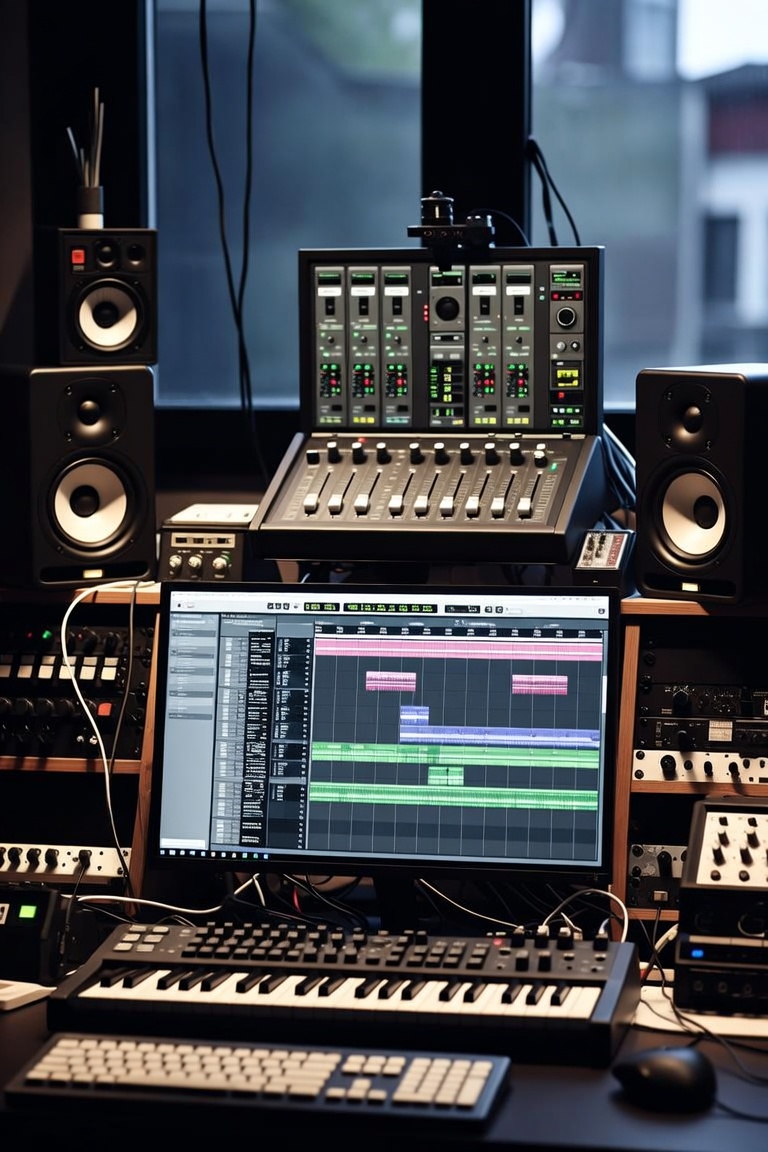
A strong music production workflow is one of the biggest differences between producers who finish tracks and producers who stay stuck with hundreds of unfinished ideas. Many beginners think the problem is lack of plugins, lack of expensive gear or lack of talent. But in many cases, the real problem is lack of process.
Music production is not only about inspiration. Inspiration helps you start, but workflow helps you finish. A clear workflow gives you direction from the first idea to the final export. It helps you know what to do when you open your DAW, how to build the track, how to organize the arrangement, how to mix with intention and how to prepare the final version.
At The Music Producer School [LINK: https://themusicproducerschool.com/], students learn that professional music is built through decisions. A producer needs creativity, but also structure. The best workflow does not kill creativity. It protects it.
A complete online music production course [LINK: https://themusicproducerschool.com/produto/online-music-production-course/] can help producers understand this full process step by step, especially if they feel stuck with loops, weak arrangements or unfinished songs.
What Is Music Production Workflow?
Music production workflow is the process a producer follows to create music from beginning to end. It includes idea creation, sound selection, recording, MIDI programming, arrangement, editing, mixing, mastering and exporting.
A good workflow helps you move through these stages without getting lost. It gives structure to creativity. Instead of opening your DAW and randomly adding sounds, you know what the track needs at each moment.
A workflow can change depending on the genre. An EDM producer may start with a drop, bassline or drum groove. A songwriter may start with chords and vocals. A trap beatmaker may start with melody and 808. A soundtrack producer may start with emotion and visual timing.
But the foundation is similar for everyone. You need to create an idea, develop it, arrange it, clean it, mix it and finish it.
Without workflow, producers often get stuck in the same place: an eight-bar loop that sounds cool but never becomes a complete track.
Why Producers Get Stuck
Many producers get stuck because they confuse starting with producing. Starting a track is easy. Finishing a track is the real skill.
A producer may create a nice chord progression, a drum loop or a melody and feel excited. But after a few hours, the energy disappears. The track starts to feel repetitive. The arrangement feels confusing. The mix sounds messy. Then the producer opens a new project and repeats the same cycle.
This happens because there is no clear next step. The producer knows how to create ideas but does not know how to develop them.
Another common problem is perfectionism. Some producers try to make every sound perfect too early. They spend two hours EQing a hi-hat before the song even has a structure. This slows down creativity and makes the process frustrating.
A good music production workflow separates the stages. First, create. Then arrange. Then edit. Then mix. Then master. These stages can overlap, but mixing too early or mastering too early can stop the track from moving forward.
Step 1: Start With a Strong Idea
Every track begins with an idea. This idea can be a drum groove, chord progression, bassline, vocal phrase, sample, melody, sound design texture or emotional concept.
The first idea does not need to be perfect. It needs to be strong enough to inspire the rest of the track.
For EDM, the idea may be a drop rhythm, synth hook or bassline. For trap, it may be a dark melody and 808 pattern. For pop, it may be a vocal melody or chord progression. For soundtrack production, it may be a mood, scene or emotional direction.
The mistake many producers make is judging the idea too early. At the beginning, your job is to explore. Create options. Try sounds. Build energy. Do not stop the creative flow by mixing every detail immediately.
A strong idea gives the track identity. Without identity, the production can become a collection of random sounds.
Step 2: Choose Better Sounds
Sound selection is one of the most important parts of music production. The right sounds can make a simple idea feel professional. The wrong sounds can make a good idea feel weak.
Before adding many plugins, ask if the source sounds are right. Does the kick fit the genre? Does the snare cut through? Does the bass support the groove? Does the synth match the mood? Does the vocal sound clear? Does the sample help the track?
Many beginners try to fix bad sound selection with mixing. But mixing cannot fully rescue weak sounds. It is much easier to choose sounds that already work together.
Sample packs and producer tools [LINK: https://themusicproducerschool.com/shop/] can help speed up this stage, especially for drums, loops, effects, textures and creative inspiration. But samples should be used with intention. The producer still needs to choose, edit and arrange them properly.
Good sound selection saves time later. If the sounds already fit, the mix becomes easier.
Step 3: Build the Core Loop
The core loop is the main musical section that defines the track. It may be the drop, chorus, hook, groove or main theme.
This is where you combine the most important elements. Usually, this includes drums, bass, harmony, melody and maybe vocals or effects. The goal is to create a short section that captures the identity of the song.
But the core loop should not become a prison. It is only the starting point. Many producers create a good loop and then stay there forever. A professional workflow uses the loop as raw material for the full arrangement.
While building the core loop, focus on energy and balance. Do the drums move well? Does the bass work with the kick? Is the melody memorable? Is there space for vocals? Does the section already feel like a real part of a song?
Once the loop feels strong, move forward quickly. Do not wait for perfection.
Step 4: Create a Rough Arrangement
Arrangement is where your loop becomes a full track. This is one of the most important stages of music production workflow.
A rough arrangement does not need to be perfect. It simply gives the track a beginning, middle and end. It helps you see the full journey.
For EDM, this may include intro, buildup, drop, breakdown, second buildup, second drop and outro. For trap or hip hop, it may include intro, hook, verse, hook, verse and outro. For pop, it may include verse, pre-chorus, chorus, second verse, bridge and final chorus. For soundtrack music, it may follow the emotional arc of a scene.
The goal is to stop thinking only in loops. A listener needs movement. They need change, tension, release and contrast.
A rough arrangement helps you understand what the track is missing. Maybe the intro is too long. Maybe the chorus needs more energy. Maybe the second verse needs variation. Maybe the ending feels weak.
Once the arrangement exists, the song becomes real.
Step 5: Add Transitions and Movement
Transitions help connect sections. Without transitions, a track can feel like separate blocks placed next to each other.
Transitions can be created with drum fills, risers, impacts, reverse sounds, filter automation, delay throws, reverb tails, silence, crashes, sweeps, vocal effects or small arrangement changes.
Movement is also important inside each section. A loop can become boring if nothing changes. Automation helps create movement by changing volume, filter cutoff, reverb, delay, distortion, panning or synth parameters over time.
For electronic music producers, Ableton Live is especially powerful for creating movement, automation and arrangement ideas. The Ableton Live course [LINK: https://themusicproducerschool.com/produto/ableton-live-12-edm-course/] is a good path for producers focused on EDM and electronic workflow.
Transitions do not need to be complicated. Sometimes removing a sound before a drop is more powerful than adding more effects. The best transitions support the song naturally.
Step 6: Edit and Clean the Session
Before mixing, the session should be cleaned and organized. This step saves time and improves focus.
Editing can include removing unwanted noise, cleaning audio clips, fixing timing, adjusting fades, organizing regions, naming tracks, deleting unused sounds and making sure the arrangement is clear.
If you recorded vocals or instruments, this stage is especially important. Vocal comping, tuning, timing correction and noise cleanup should usually happen before the final mix.
A messy session makes mixing harder. If tracks are unnamed, audio is disorganized and routing is confusing, the producer wastes energy.
Professional workflow includes organization. Name your tracks clearly. Group similar elements. Use colors if helpful. Remove sounds that do not serve the track. Make the session easy to understand.
A clean session leads to better decisions.
Step 7: Start Mixing With Volume Balance
Mixing should begin with volume balance, not plugins. This is one of the most important lessons in music production.
Before EQ, compression, reverb or mastering, the elements need to sit at the right levels. The kick, bass, drums, vocal, synths, guitars, piano and effects need to work together.
Many beginners skip this step and start adding plugins immediately. But if the volume balance is wrong, the mix will still sound bad.
A good balance can make a track feel much more professional even before heavy processing. The kick should support the groove. The bass should work with the kick. The main melody or vocal should be clear. The drums should have energy. The effects should support the arrangement without covering important elements.
Mixing is not about making every sound loud. It is about deciding what matters most.
Step 8: Use EQ With Purpose
EQ helps create space in the mix. It allows you to remove unwanted frequencies, shape tone and help elements fit together.
But EQ should be used with purpose. Do not cut or boost frequencies randomly. Listen first.
Is the vocal muddy? Is the bass too boomy? Are the hi-hats too harsh? Is the piano fighting the vocal? Is the kick missing punch? Each problem needs a different solution.
A good mix gives each element a role. Not every sound needs to be full-range. Some sounds need low end. Others need brightness. Others need midrange character.
EQ is not only technical. It affects emotion. A dark vocal feels different from a bright vocal. A warm bass feels different from a thin bass. A clean high end feels different from a harsh one.
The best EQ decisions support the song.
Step 9: Use Compression Carefully
Compression controls dynamics. It can make vocals more consistent, drums more punchy, bass more stable and mixes more controlled.
But compression is also one of the most misused tools in music production. Many beginners compress everything without knowing why.
Before using compression, ask what problem you are solving. Is the vocal jumping too much in volume? Is the bass inconsistent? Do the drums need more punch? Does the mix need glue? If there is no clear reason, compression may not be needed.
Too much compression can make music feel lifeless. It can reduce energy instead of improving it.
A strong music production workflow teaches you to use tools when they serve the track. Plugins are not decorations. They are problem-solving tools and creative tools.
Step 10: Create Space With Reverb and Delay
Reverb and delay create depth, emotion and atmosphere. They help sounds feel connected to a space.
But too much reverb can make a mix muddy. Too much delay can distract from the groove. Space needs control.
Vocals often use reverb and delay to feel polished. Synths may use reverb to feel wider. Drums may use short ambience for energy. Soundtrack music may use large spaces for emotion.
Automation is very useful here. You do not need the same effect level for the entire song. A delay throw at the end of a vocal phrase can be more effective than constant delay. A bigger reverb in a breakdown can create emotion. A dry vocal in a verse can feel more intimate.
Space should support the arrangement.
Step 11: Check the Low End
Low end is one of the hardest parts of music production. The kick and bass need to work together, especially in EDM, trap, hip hop and pop.
If the low end is messy, the entire mix can feel amateur. If the kick and bass fight each other, the track loses impact. If there is too much sub bass, the mix may sound powerful in the studio but weak or distorted elsewhere.
Low end decisions start with sound selection and arrangement. Choose a kick and bass that fit. Make sure the bassline supports the rhythm. Leave space where needed.
Mixing tools like EQ, sidechain compression, saturation and volume automation can help, but they work best when the source sounds are already right.
A clean low end makes the track feel more professional immediately.
Step 12: Use Reference Tracks
Reference tracks are professionally released songs that help you compare your production, mix and master.
The goal is not to copy another artist. The goal is to understand the standard of the genre.
A reference can show whether your kick is too loud, your vocal is too quiet, your low end is muddy, your high end is harsh or your master is too compressed. It can also help you understand arrangement, energy and transitions.
Choose references that match your genre and mood. If you are producing EDM, compare with EDM tracks. If you are producing trap, compare with trap beats. If you are mixing vocals, compare with songs that have a similar vocal style.
Critical listening is one of the most important producer skills. The more you train your ears, the better your decisions become.
Step 13: Prepare for Mastering
Mastering is the final stage before release. It prepares the track for streaming platforms, headphones, speakers, cars and other listening systems.
But mastering works best when the mix is already strong. A master cannot fully fix a bad mix. If the vocal is too low, the low end is muddy or the drums are weak, mastering will not magically solve everything.
Before mastering, make sure the mix has balance, clarity and enough headroom. Avoid overloading the master bus too early. Export a clean version when needed.
Mastering can include EQ, compression, saturation, stereo control and limiting. The goal is not only loudness. The goal is translation, consistency and final impact.
A good master should make the track feel finished without destroying the dynamics and emotion.
Step 14: Export the Right Versions
A professional workflow includes exporting the right files. This can include a final master, instrumental version, acapella, clean version, stems or trackouts depending on the project.
If you are sending a beat to an artist, you may need a WAV version, MP3 preview, stems and a version with headroom for recording. If you are releasing music, you need a high-quality final master. If you are working with clients, you may need alternate versions.
Organize your exports clearly. Use proper names, dates and versions. Avoid confusing files like “final final new 3 really final.”
Professional file management saves time and avoids mistakes.
Step 15: Finish and Move On
At some point, the track needs to be finished. This is difficult for many producers. They keep changing small details forever because they are afraid the track is not good enough.
But finishing is part of learning. Every finished track teaches you more than an unfinished idea.
A finished track does not have to be perfect. It needs to represent your current level and move you forward. The next track can be better. The one after that can be even better.
A producer who finishes music consistently will improve faster than a producer who keeps polishing the same loop for months.
Finishing builds confidence.
Common Workflow Mistakes
One common mistake is mixing too early. Producers start EQing and compressing before the arrangement exists. This slows down the creative process.
Another mistake is adding too many sounds. More layers do not always make a track better. Sometimes removing elements creates more impact.
A third mistake is not organizing the session. Messy sessions lead to messy decisions.
Many producers also avoid arrangement. They keep improving the loop instead of building the full track.
Another mistake is mastering before the mix is ready. Loudness can make a weak mix feel exciting for a moment, but it does not solve the real problem.
A strong workflow helps avoid these mistakes by giving each stage a purpose.
Workflow for Beginners
Beginners should keep the workflow simple. Start with one idea. Build a basic loop. Create a rough arrangement. Add transitions. Balance the mix. Export the track.
Do not try to use every advanced technique at once. Focus on finishing.
A beginner should learn the DAW, basic rhythm, simple melodies, arrangement, volume balance, EQ, compression, reverb and export settings.
The goal is to build confidence. The first tracks may not sound professional, but they are necessary. Every finished project improves your skill.
A structured music production course [LINK: https://themusicproducerschool.com/courses/] can help beginners follow the right order and avoid confusion.
Workflow for Intermediate Producers
Intermediate producers usually know how to start tracks, but they may struggle with quality and consistency.
At this level, workflow becomes more detailed. Producers need better sound selection, stronger arrangement, cleaner low end, better mixing decisions and more intentional automation.
They should also study reference tracks, create templates, organize sounds and seek feedback.
Intermediate producers often benefit from direct mentorship because they may not hear what is holding their tracks back. A small arrangement change, sound replacement or mix adjustment can make a big difference.
The goal at this stage is not only finishing music. It is finishing better music.
Workflow in Different DAWs
Every DAW has a different workflow, but the production process is similar.
Ableton Live is fast for electronic music, loops, Session View, Arrangement View and automation. Logic Pro is strong for recording, MIDI, songwriting and mixing. FL Studio is popular for beat making and pattern-based production. Pro Tools is excellent for recording, editing and mixing. Studio One and Fender Studio Pro can also support modern production workflows.
The DAW changes the tools, but not the foundation. You still need ideas, sounds, arrangement, editing, mixing and mastering.
Do not let software become an excuse. Choose a DAW, learn it deeply and focus on finishing music.
Learn a Professional Music Production Workflow
A professional music production workflow helps you create with more confidence. It gives structure to your creativity and helps you move from idea to finished track.
At The Music Producer School [LINK: https://themusicproducerschool.com/], the focus is on practical learning. Students learn how to produce, arrange, record, mix and finish music with a clear process.
Whether you are a beginner trying to understand your DAW or an intermediate producer trying to finish better tracks, workflow is one of the most important skills you can develop.
If you want to stop getting stuck in loops, improve your arrangement, make better mixing decisions and finish music more consistently, the online music production course [LINK: https://themusicproducerschool.com/produto/online-music-production-course/] can help you take the next step.
For more guides about DAWs, production, mixing, mastering, sound design and creative process, visit the music production blog [LINK: https://themusicproducerschool.com/blog/].
And if you are not sure which course is right for your current level, you can contact The Music Producer School [LINK: https://themusicproducerschool.com/contact/] and discover the best path for your music production journey.